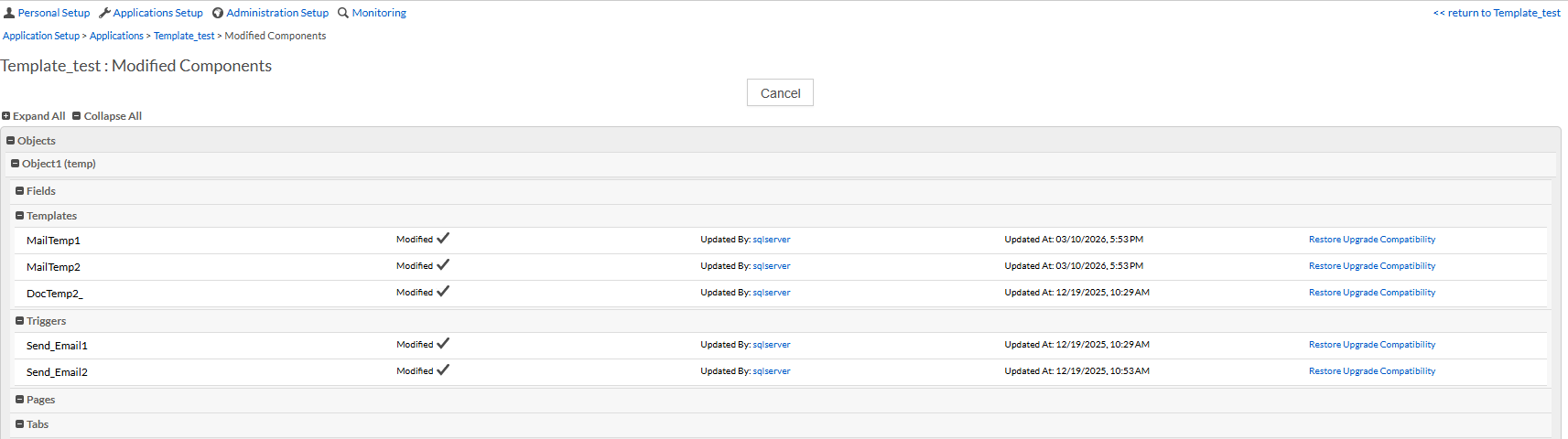
Modified Components
In applications using the Partial Lock Framework, some components can be modified at the tenant level. When a customer modifies a partially locked component, it may move off the upgrade path and no longer receive automatic updates from future platform releases.
The Modified Components page lets administrators view all such components and optionally restore them to their original upgrade-compatible state.
Accessing the Modified Components Page
To view modified partially locked components:
-
Go to Administration Setup > Applications Setup > Applications.
-
Open the application with Partial Lock enabled.
-
Click the More Actions menu.
-
Select Modified Components.
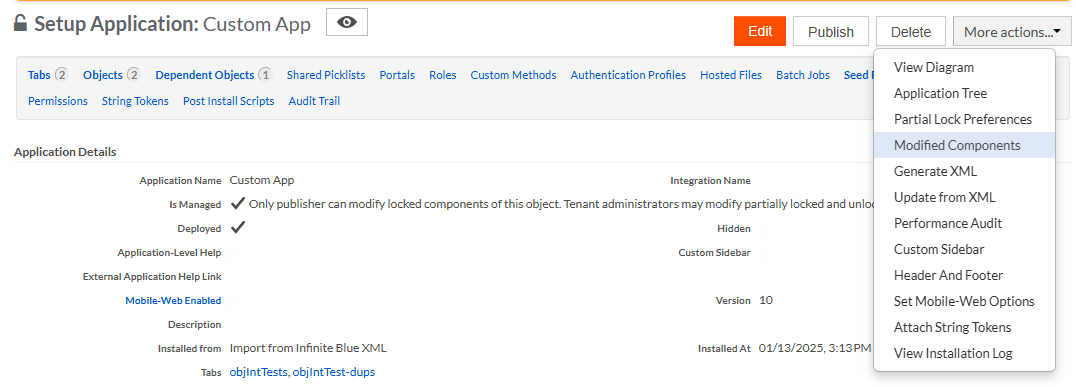
-
The Modified Components page opens, showing all partially locked components modified in the tenant environment.