Custom Blueprint
This feature lets users dynamically render a page without sidebars and other navigation elements by passing a specific query parameter. By enabling this custom blueprint, users can focus solely on the page body without distractions from navigation elements. The feature is designed for URL-based navigation scenarios and supports dynamic control over the rendered UI blueprint.
Salient Features of Custom Blueprint
-
Hides the sidebar and application header dynamically via URL query parameters.
-
Displays only the page header and body while retaining the page context.
-
Seamless rendering with modern/traditional blueprints.
-
Custom blueprint rendering based on application settings or URL parameters.
The following changes can be observed when the custom blueprint is enabled via URL.
| Component | Changes |
|---|---|
|
List View Page |
Do not display
|
|
Record View Page |
Do not display
|
|
Overflow menu (three dots) |
Do not display
|
Enabling the Custom Blueprint
The custom blueprint can be enabled by passing a query parameter in the URL from an iframe.
To enable the custom blueprint, pass the navDisabled=true query parameter in the URL.
-
If
navDisabled=true, the custom blueprint is rendered -
If
navDisabled=falseor the parameter is omitted, the default blueprint (as per application settings) is applied.For example:
<iframe id="pageurl" width="100%" height="700" src="http://localhost:8080/prod1/m/main.jsp?pageId=31333&appId=31555&tabId=31540&id=31694&navDisabled=true" title="List View record view page">
</iframe>ThenavDisabledparameter is stored in a cookie, ensuring persistence across multiple requests. However, the cookie is cleared upon user logout.
-
Pass the
navDisabled=truequery parameter in the URL using aniframe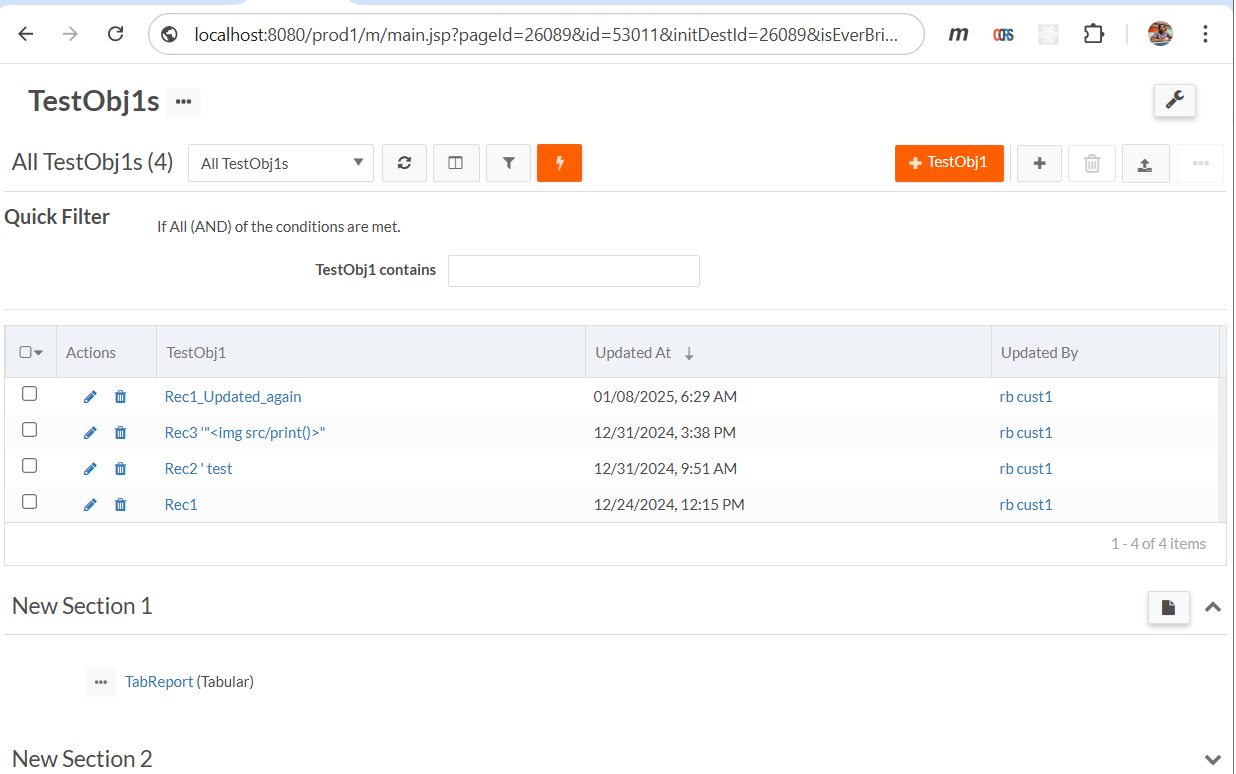
-
The custom blueprint is rendered when the user clicks on the New Record button, which opens the page in the same window.
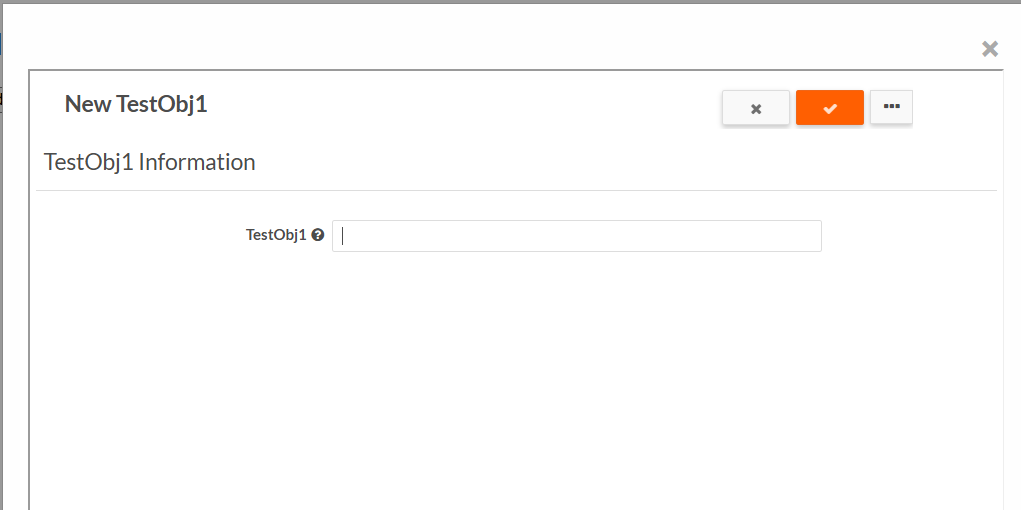
The following changes can be observed when passing the navDisabled=true query parameter in the URL.
| Component | Changes |
|---|---|
|
Sidebar Navigation |
Not displayed |
|
Application Header |
Not displayed |
|
Page Header |
Displayed |
|
Page Context |
Remains unchanged, with all sections rendered consistently |