Assigning pages to a portal
Portal pages can be shared among different portals in your tenant. If you want to add an existing page to your portal, follow these steps:
- On the portal's view page, in the Pages table, click Assign
Pages.
The Assign Pages page opens:
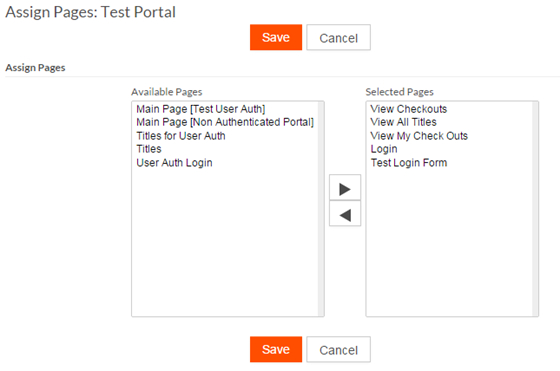
- Select the page(s) you want to add to your portal from the Available
Pages column and click
 to move the page(s) the Selected Pages column.
- Click Save.
The pages you selected are now assigned to the portal.
Note: You can also remove pages
from your portal by selecting them from the Selected Pages
column and clicking
