Reviewing results
After the import is complete, you can navigate through the new application's application pages and setup pages to see the results. You can use the fully functional Platform application that preserves both structure and data from the MDB database.
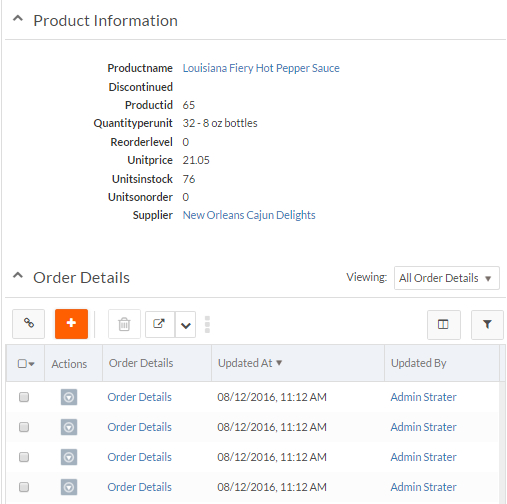
Relationships between records are preserved as shown below, where a Product has a relationship to a Supplier and to multiple Order Details:
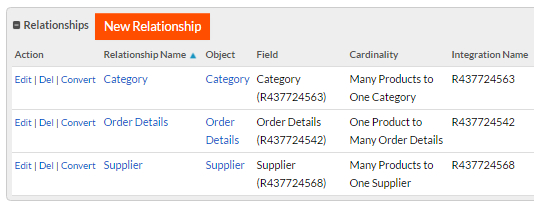
You can navigate to the Relationships table on the Product object definition page to see the definitions of the above relationships:
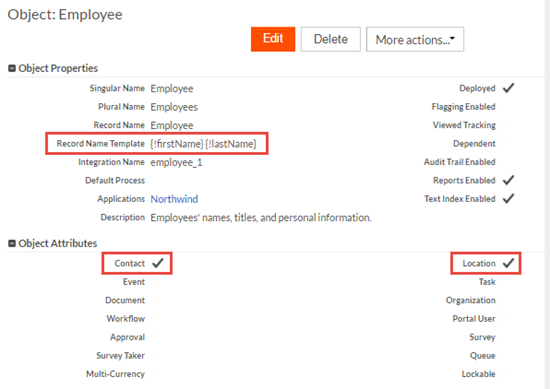
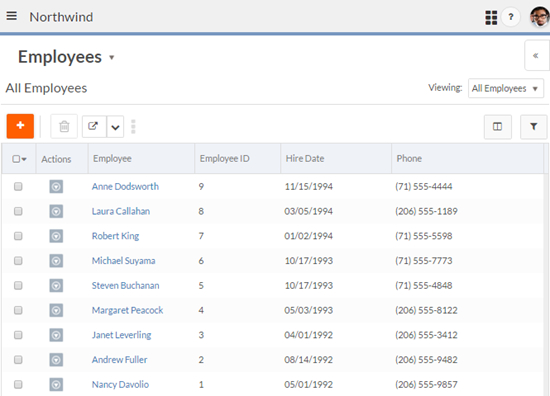
For objects with the Contact attribute, such as Employee in this example, Platform created a Record Name field using the First Name and Last Name fields as shown in the screen below:
You can navigate to the Employee object definition page to see the Record Name TemplatePlatform created for the Record Name field, the attributes you selected for the object, and other information: